
Every application becomes a case with status, follow-up questions and ownership.
Typical tasks
- Filter cases by status and form, show only assigned or overdue ones
- Change status and trace every change to the case in the history, including changes to application data
- Create the notice from the department's Word template, check it as PDF/A and release it
- Keep internal notes separate from messages to applicants
- Export structured data for reporting or specialist systems
What it looks like in the product
All applications at a glance
The list shows the status, deadline and assignment of every application. Small markers next to the reference number show where a message or an analysis has come in since you last opened it. Filters narrow the list down to a status, a form, your cases, or overdue applications and those due soon.
Compare attachments with the application
AI reads from each attachment the values the department has defined and compares them with the details in the application. For a cost estimate you see, for example, that the gross amount differs from the stated one while the roof area matches. The values are hints and are not copied into the application automatically; case workers make the decision.
Review paper applications from a batch
Paper applications arrive as scans in a batch. In the review you see each scan next to the checklist of required proofs: what is there, what is missing and which document could not be matched to any proof. Then you take the application into processing.
Internal note, kept apart from messages to applicants
With “Internal note” ticked, only staff see the entry and the applicant is not notified. In the history it is marked “Internal”.
Notice from your Word template, as PDF/A
From the department's Word template, such as the approval of a residents' parking permit, beantragt.ai creates the notice on the case with the reference number and details from the application. After your release, the notice goes out by post; the Word file and the PDF/A stay on the case for printing and the case file. Several documents, for example an approval and a fee notice, go out together.
Export for reporting and specialist systems
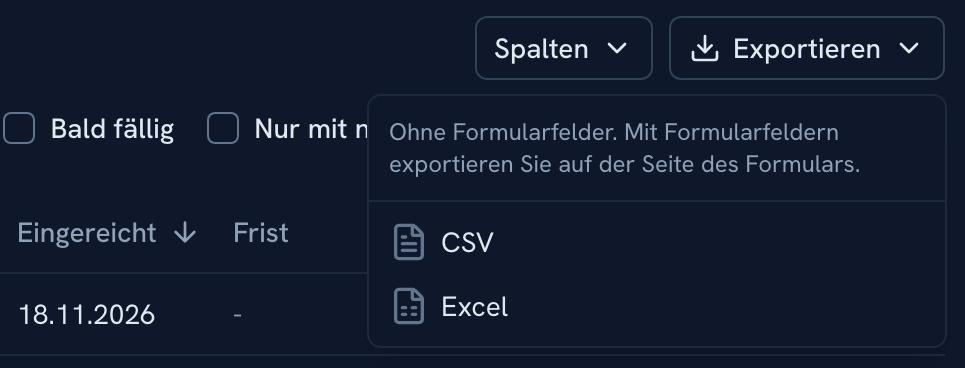
Export the list as CSV or Excel for reporting. Exports with the form fields, for example for a specialist system, are made on the page of the form.
Transfer status on the case
The “Transfers” card shows the delivery status. If application data changes before a waiting transfer is sent, beantragt.ai holds it back and you reschedule it with the current data.
See beantragt.ai in action
In the demo we walk through the process with one of your administration's forms, from template to case.
Request a demo